
3D-Studio is one of the best softwares being used all around the world used for animation and graphic designing. In my last tutorial i explained how to create a simple animation using reactor in 3D-Max, you can view it HERE. This tutorial explains creation of simple landscape which uses simple functions like Patch-grids and Scatter etc.
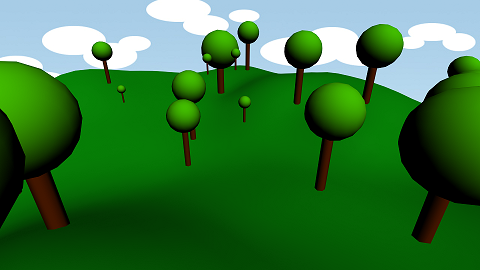
The tutorial consist of the following simple steps:
- Creation of a Ptach-Grid
- Adding noise to the patch to make it more realistic
- Creating a tree using sphere and cylinder
- Merging sphere and cylinder into one object
- Assigning matrials to tree
- Scattering copies of tree onto the grid using Scatter function
- Adding background to the scene i-e clouds in this case
- Rendering the output.
StumbleUpon | Digg | Reddit | Tweet | Facebook | Technorati | Delicious | Ping.fm | Slashdot
{ 0 comments… add one now }