
Well many of you wants you wants to block any webiste from your computer either for children saftey or for blocking any software from getting black-listed, then here are simple and few steps to do it:
Before continuing let me tell how it works, well Microsoft Windows uses HOSTS file located in [%systemdrive%/windows/system32/drivers/etc] to maintain a personal list of web addresses. Any time a request is made for a URL, the HOSTS file will be checked first. If a corresponding address is found you will be directed to that IP without first consulting a DNS Server. The original intent of this file was to define where sites exist; we will use it in this context to define where they don’t exist.
STEPS:
- Type [C:WINDOWSsystem32driversetc] in your adress bar and press enter key, you will be directed to home directory of HOSTS file
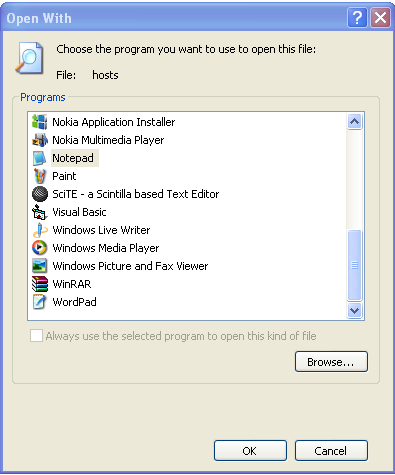
- Right Click and open the “hosts file” with notepad.
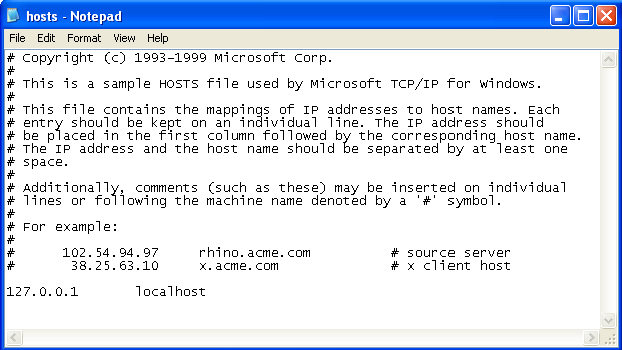
- By default your host file will look like the screen-shot below.
- Now in the screenshot below, 192.168.15.1 is the default address of my router, when the user/application will try to access the blocked site, it will be redirected to this IP rather than going to the original website. Note that IP [192.168.15.1] is followed by the name of the website you want to block. Here i blocked the official website of Internet Download Manager, so that IDM may not able to blacklist my key. [Obviously its valid if you are using a pirated fake key].
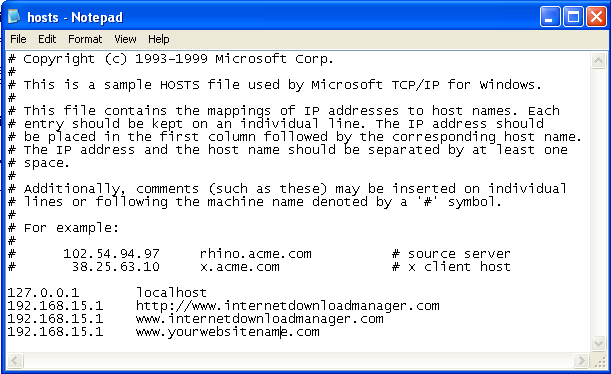
- Well here you go, you can add as many websited you want to block in the list like above.
- Now its the time to test that the tricked worked or not???
- Type [http://www.internetdownloadmanager.com] in your address bar and see what happens
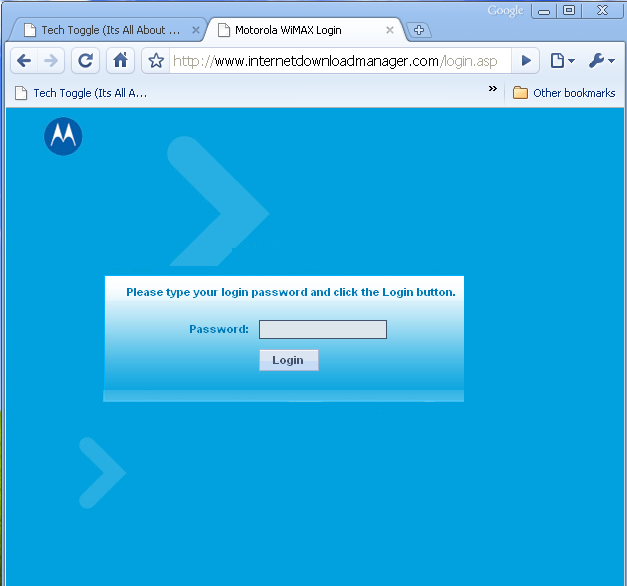
- So the page redirected to my router’s login page instead of going to http://www.internetdownloadmanager.com
- NOTE: ONCE SITE IS BLOCKED THROUGH THIS METHOD, NO BROWSER, NO APPLICATION OR ANY OTHER MEDIA CAN ACCESS THE BLOKED WEBSITE.
- I have tested it in Mozilla Firefox, Google Chrome and Internet Explorer 6,7. All of the browsers were re-directed to my router’s login page rather than going to the original website.
StumbleUpon | Digg | Reddit | Tweet | Facebook | Technorati | Delicious | Ping.fm | Slashdot
{ 1 comment… read it below or add one }
But u can still access those sites by using google. so all they ahve to do is google the site and press the link tadaa